
A Guide to AI for Documentation Automate Your Help Center
A complete guide to using AI for documentation to automate your help center and transform your support workflow.
A Guide to AI for Documentation Automate Your Help Center
If your support team is like most, your help center is constantly playing catch-up. It's a frustrating loop: manual updates get pushed aside for urgent tickets, content is created only after a problem appears, and the ticket queue just keeps growing.
This is where AI for documentation comes in. Think of it as an intelligent system that gets ahead of the game, spotting and filling knowledge gaps before they turn into a flood of repetitive support tickets.
Moving Beyond the Outdated Help Center

Picture your current help center as a library run by a part-time librarian. They only add new books (articles) to the shelves when someone complains that a book is missing. By the time they finally get around to ordering and stocking it, dozens of people have already left empty-handed and annoyed.
That reactive process is the fundamental flaw in most knowledge bases. Your support team is so swamped answering tickets that they have zero time to step back and look for trends. So, the same questions get asked over and over, burying agents in work that could have been prevented. The real problem—the gap in your documentation—never gets fixed.
The Proactive Librarian Analogy
Now, imagine that same library with a sharp, full-time librarian who works 24/7. This librarian doesn't wait for complaints. They're constantly analyzing what people are searching for but can't find. They spot patterns instantly—like ten people asking for the same topic in a single afternoon—and immediately get that exact book on the shelf.
This is exactly how AI for documentation works. It acts as that intelligent librarian for your help center. It automatically scans your solved support tickets to find what’s missing, outdated, or just plain confusing in your articles. It identifies the recurring problems and, more importantly, the solutions your agents provided, then turns that insight into content suggestions.
By transforming ticket data into ready-to-publish drafts, AI shifts your workflow from reactive guesswork to a proactive, data-driven strategy. Your team no longer has to manually hunt for content gaps; the gaps are delivered to them.
A Market Responding to the Pain
This move from manual grunt work to intelligent automation isn't just a niche trend; it's a massive market shift. The Document AI market is set to explode, growing from USD 12.45 billion in 2024 to USD 27.62 billion by 2030. This growth is all about AI's ability to understand the context inside support tickets and other documents—a critical need for teams drowning in repetitive questions. You can read more about the Document AI market's growth on MarketsandMarkets.
Manual vs AI-Powered Documentation Workflow
It's one thing to talk about it, but seeing the difference side-by-side makes it crystal clear. The old way of managing documentation is slow and inefficient, while the AI-powered approach is smart and proactive.
| Aspect | Manual Documentation (The Old Way) | AI for Documentation (The New Way) | | :--- | :--- | :--- | | Gap Identification | Relies on agents manually spotting trends or customer complaints. Slow and often inaccurate. | Automatically analyzes solved tickets to find recurring issues and knowledge gaps in real-time. | | Content Creation | An agent must find time to write an article from scratch based on a ticket they remember. | Generates a draft article based on the proven solution from the actual support conversation. | | Updating Content | Outdated articles are only found when a customer points out an error or an agent stumbles upon one. | Continuously scans for new information in tickets and suggests updates to existing articles. | | Team Focus | Agents spend significant time on repetitive, preventable tickets instead of complex issues. | Agents are freed up to handle high-value customer problems. The help center handles the rest. |
The takeaway is simple: AI lets you build a help center that actively works for you instead of being another task on your to-do list.
Solutions like AutoKnowledgeBase are making this a reality for support teams today, as one part of a broader automated service desk approach. By integrating directly with platforms like Zendesk, it turns your support conversations into smart suggestions for new articles and updates. It’s a practical way to finally break the cycle of guesswork and build a help center that actually helps.
How AI Finds the Gaps in Your Knowledge Base
Your help center is like an iceberg. You see the polished articles on the surface, but underneath lies a massive, unseen volume of customer conversations—all your solved support tickets. This is where the real story of what your users are struggling with lives. So, how do you tap into that?
This is where AI, specifically for documentation, comes into play. It acts like a detective, sifting through mountains of evidence (your tickets) to find the clues you're missing.

The core technology behind this is Natural Language Processing (NLP). You can think of NLP as a sophisticated language expert that doesn't just scan for keywords but truly understands the context and intent behind human conversations. It reads through thousands of your solved Zendesk tickets at a speed no human team ever could.
But reading is just the start. The real magic happens when the AI starts connecting the dots. It groups conversations by topic, looking for clusters of tickets that all point back to the same root problem.
From Ticket Clusters to Real Insights
Let's say the AI spots 50 separate tickets this week, all from different customers, but all mentioning "Payment Failed: Code 305." A single support agent, buried in their own queue, might see one or two of these and not think much of it. The AI, however, sees the entire pattern and flags it immediately as a recurring issue.
Next, it drills down into those 50 solved conversations. It’s looking for the common thread—what did your top agents actually do to fix the problem? It might find a specific troubleshooting step or a clever workaround that consistently made customers happy and closed the ticket.
This proven, validated solution becomes the blueprint for a new help article.
The system doesn't just match keywords. It understands the customer's problem, finds the solution that your own team has already proven works, and uses that to fill a hole in your documentation.
This means the content it suggests isn't just generic fluff. It’s forged from your team's own successes, making it instantly credible and useful.
Turning Insights into Content, Automatically
Once the AI has identified a knowledge gap and the solution that plugs it, it takes the final step: it drafts a new help article or suggests an update to an existing one. Using our example, it might generate a draft titled, "How to Fix Payment Error Code 305."
This draft isn't a messy copy-paste from a support ticket. It’s a clean, structured article, ready for a quick review from a knowledge manager or technical writer. This "human-in-the-loop" step is crucial. Your team always has the final say, ensuring every piece of content meets your brand's voice and quality standards.
The results are pretty staggering. For teams on Zendesk, this kind of ticket analysis can pinpoint up to 80% of recurring issues. This directly fuels content suggestions that can cut down ticket volume by 35%. Some SaaS knowledge managers even report saving 50% of their time on content creation, while technical writers approve 90% of AI suggestions with a single click. You can dig into more stats on AI's role in support on Master of Code.
Ultimately, this turns your support history from a dusty archive into a living, breathing source of truth. You get a knowledge base that actually improves itself, keeping pace with what your customers need, right now.
The Real-World Payoff of an Automated Workflow
Okay, understanding how AI sorts through data is one thing. But what does it actually do for your business? Implementing an AI-powered documentation system isn't just a minor tech upgrade; it's a fundamental shift that delivers real, measurable wins for your support team, your customers, and your company's bottom line.
By turning your solved Zendesk tickets into a living, breathing content engine, you stop playing defense and start building a cycle of continuous improvement. The results aren't fuzzy concepts—they show up in your most important support metrics, often right away.
Drive Down Ticket Volume with Deflection
The first and most powerful impact you'll see is ticket deflection. It’s simple: every time a customer finds their own answer in your help center, that’s one less ticket your team has to touch. When the AI spots a common knowledge gap and plugs it with a new article, it’s shutting down dozens—or even hundreds—of future tickets about that exact same problem.
Think about it. Your team spends every Monday morning answering 30 tickets about a confusing billing setting. After the AI analyzes those conversations and pushes a clear, step-by-step article to your drafts, that number could drop to just a few.
This isn't just about shrinking a number in a report. It's about giving your team back its most precious resource: time. With fewer repetitive questions bogging them down, agents can focus their energy on the complex, high-stakes customer issues that actually need a human expert.
An automated documentation workflow acts as your best, most efficient support agent—one that works 24/7 to solve common problems before they ever reach your team’s queue.
This creates a snowball effect. Fewer tickets mean less agent burnout, more brainpower for proactive problem-solving, and a support team that functions more like a strategic partner to the business.
Speed Up Resolution Times for Agents
Even for the tickets that do get created, a smart knowledge base is an agent's best friend. They no longer have to waste time re-typing the same five-step solution over and over again. Instead, they can grab a link to a precise, AI-generated article that walks the customer through the fix.
This does two amazing things:
- Faster First Response: Agents can find and share the perfect resource in seconds, slashing the time a customer has to wait for a meaningful reply.
- Increased Agent Capacity: When a single link can solve a problem that used to take ten minutes to explain, that agent can suddenly handle more conversations per hour. Team productivity goes way up.
It’s like handing your support team a cheat sheet of perfect, pre-approved answers for your most common questions. This creates consistency, ensuring every customer gets the best possible solution, every single time, without depending on an agent's memory or typing speed.
Boost Your Customer Satisfaction Scores
At the end of the day, a better self-service experience creates happier customers. Study after study confirms that most people want to find answers on their own before they have to contact a support agent. A comprehensive, accurate, and always-current knowledge base empowers them to do just that.
When customers can solve their own problems without friction, their satisfaction goes through the roof. You'll see this reflected directly in higher Customer Satisfaction (CSAT) scores.
And for those times they do need help? The faster resolution times make for a much more positive support interaction. The whole experience feels smoother and more respectful of their time, building genuine trust and loyalty in your brand. Investing in AI for documentation is really an investment in a better customer journey, from beginning to end.
A Practical Guide to AI Implementation
<iframe width="100%" style="aspect-ratio: 16 / 9;" src="https://www.youtube.com/embed/_tv1sP9jJzI" frameborder="0" allow="autoplay; encrypted-media" allowfullscreen></iframe>Knowing how AI can improve your documentation is one thing, but actually putting it to work is where you see the results. The good news? This isn't some massive IT project that will eat up months of your time. With modern tools built specifically for support teams, getting started is surprisingly straightforward and delivers value almost right away.
This guide breaks down the whole process into five easy-to-follow steps. We'll use a solution like AutoKnowledgeBase as our example, since it’s designed to plug right into platforms like Zendesk. You'll see just how fast you can go from an idea to a real-world impact.
Step 1: Seamless Integration
The first step used to be the scariest, but now it’s the easiest. Forget about begging for engineering resources to set up complex APIs. Today's tools offer one-click integrations that hook into your Zendesk account in a matter of minutes.
You simply authorize the app, and it securely connects to your support environment. That's it. No code, no complicated configuration. This connection lays the groundwork for everything else, giving the AI access to the data it needs to start learning. (New to the app? Our getting started guide walks through the connection step by step.)
Step 2: Initial Content Analysis
Once connected, the AI gets to work. Its main job is to understand your support history by analyzing all your solved tickets. Think of it like a detective sifting through thousands of case files, looking for common threads and unanswered questions.
This isn't just about scanning for keywords. The system uses Natural Language Processing (NLP) to actually understand the context of each conversation. It finds clusters of tickets pointing to the same root problem, effectively mapping out your biggest knowledge gaps. This all happens automatically, humming along in the background.
This initial analysis is the most critical phase. The AI is building its understanding of your customers' unique challenges, using your team's own successful resolutions as its source of truth.
This data-first approach means that every suggestion it makes is based on real problems your customers have faced, not just guesswork.
Step 3: Review AI-Generated Suggestions
After the analysis, the AI doesn't just go rogue and start publishing articles. Instead, it presents its findings as clear, actionable suggestions inside a dashboard. This is where the crucial "human-in-the-loop" workflow comes in.
You'll get suggestions for brand-new articles and specific updates for existing ones, each one backed by data from your tickets. For example, it might propose an article titled "How to Reset Your Two-Factor Authentication" because it found 40 tickets on that exact topic last month.
This workflow keeps your team in the driver's seat. They have complete editorial control to tweak the tone, inject your brand's voice, and double-check every detail before anything goes live.
Step 4: Publish to Your Help Center
Once your team has reviewed and approved a suggestion, publishing it is as simple as clicking a button. The content gets sent straight to your Zendesk help center, perfectly formatted and ready for customers.
This smooth handoff eliminates the last big obstacle to keeping your knowledge base fresh. No more tedious copying and pasting between documents or fighting with a clunky CMS. You can go from a data-driven insight to a published article in minutes, not days.
Step 5: Monitor Performance and Impact
The job isn't done once an article is published. The final step is all about tracking the impact of your new, automated workflow. You can keep an eye on key metrics like ticket deflection rates and self-service scores, all within your existing Zendesk analytics.
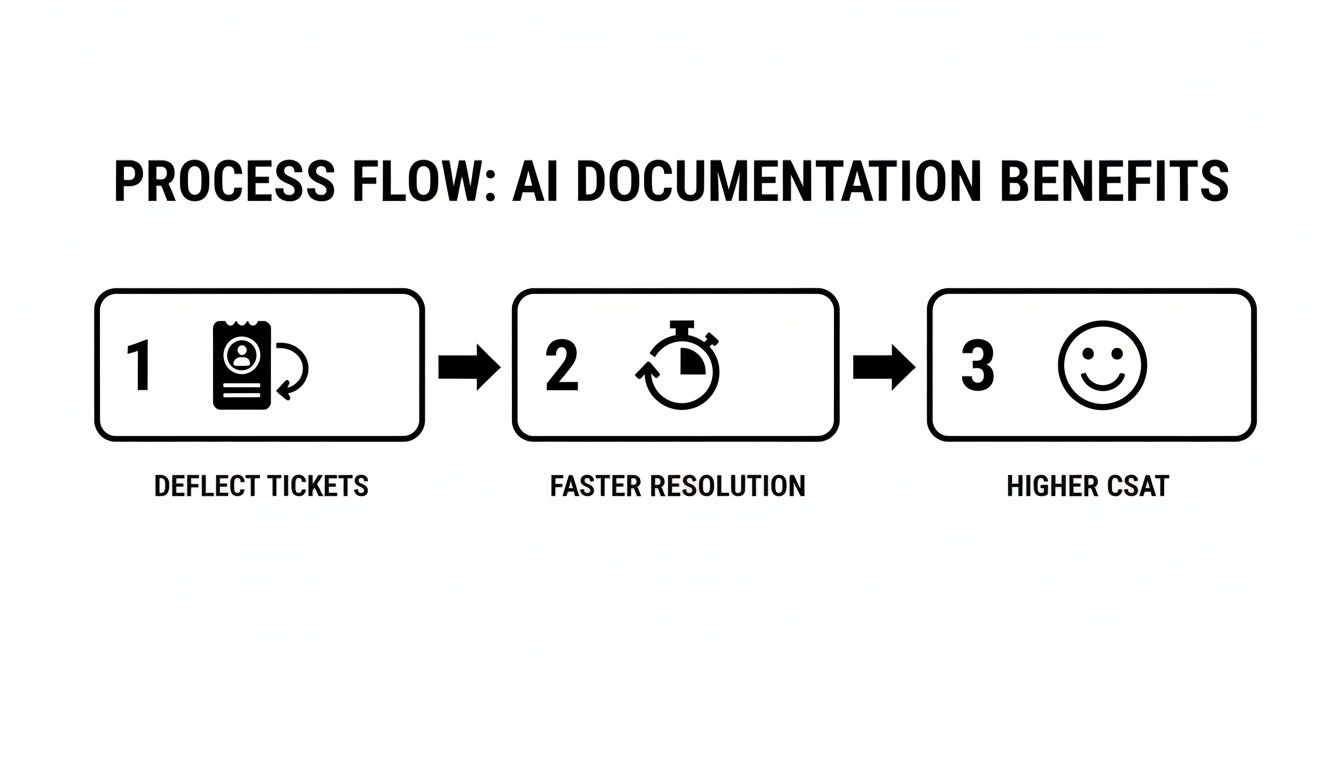
As you can see, the end goals are clear: deflect more tickets, resolve issues faster, and boost customer satisfaction. These aren't just abstract ideas anymore; they're measurable results. This creates a powerful feedback loop where you can see which articles are making the biggest difference and continuously fine-tune your self-service strategy.
How AutoKnowledgeBase Supercharges Zendesk
The idea of using AI for documentation is great, but the reality is that its success hinges entirely on the tool you choose. Many generic AI chatbots or overly complex platforms just end up creating more work, which is why it pays to know how to evaluate documentation automation tools before you commit. You get stuck with painful technical setups and constant babysitting. This is exactly where a purpose-built solution like AutoKnowledgeBase makes a world of difference, especially if your team lives in Zendesk.
AutoKnowledgeBase was built from the ground up to do one thing exceptionally well: keep your Zendesk help center accurate and helpful without demanding all your time. It’s not a jack-of-all-trades AI; it's a specialist that gets the unique rhythm of a support team.
The biggest win right out of the gate is its seamless, one-click integration. Forget begging for engineering resources or wrestling with complicated APIs. You just connect your Zendesk account, and in minutes, the system is quietly analyzing your tickets in the background, sniffing out those hidden knowledge gaps.
The Power of a Specialized Tool
Using a generic AI for your help center is like trying to build a cabinet with a multi-tool. Sure, you might get it done, but it’s going to be clumsy, frustrating, and inefficient. A specialized tool like AutoKnowledgeBase is like walking into a fully-equipped workshop. Every feature is designed for the job at hand.
Its AI doesn't just scan for keywords. It digs in to understand the real context of support conversations—what was the customer’s actual problem? What was the agent’s proven fix? This allows it to generate smart suggestions for both brand-new articles and critical updates to your existing ones.
The platform doesn't just flag a problem and walk away. It delivers a data-backed, ready-to-review solution right to your dashboard. This flips the script, turning your team from reactive firefighters into proactive knowledge builders.
This purpose-built approach saves teams a massive number of hours every week. We know that 70% of support teams battle with outdated documentation, which directly causes 30% repeat tickets. By spotting trends across thousands of tickets, a specialized tool can suggest fixes that have an 85% approval rate during review. Teams using an integrated AI like AutoKnowledgeBase can launch in under 10 minutes, save 10-15 hours weekly, and boost ticket deflection by 30%. You can dive deeper into how generative AI is reshaping industries on gminsights.com.
Maintaining Control with an Editorial Workflow
Let’s be honest, a big fear with AI is losing control. Will it sound like us? Will the quality be there? AutoKnowledgeBase tackles this head-on with a solid human-in-the-loop editorial workflow. The AI does the heavy lifting—the analysis and the first draft—but your team always, always has the final say.
This workflow makes sure every article is perfect before it ever sees the light of day:
- Review and Edit: Your knowledge manager or technical writer can easily jump into a draft, tweak the language to match your company’s tone, add brand-specific details, or just make it clearer.
- Approve with Confidence: Once a suggestion is polished and ready, a single click is all it takes to approve it.
- Publish Instantly: The approved article is sent straight to your Zendesk help center, perfectly formatted and ready to start helping customers.
You get the best of both worlds here: the incredible speed and efficiency of AI automation, combined with the quality and control of human expertise. It frees your team to focus on the strategic work that matters instead of getting buried in the manual grind of ticket analysis and content creation.
How Do You Know if Your AI Strategy is Actually Working?
Putting any new strategy in motion is one thing, but knowing if it’s actually paying off is another. When it comes to using AI for your documentation, you need to see real results. The good news? The impact of a smarter help center isn't some fuzzy, abstract concept—it shows up in the hard data you’re probably already tracking.
By keeping an eye on a few key performance indicators (KPIs), you can build a rock-solid business case for your AI workflow. This gives you a clear way to prove the return on investment and keep fine-tuning your self-service strategy with data, not just guesswork.
The Metrics That Prove Your ROI
Let's cut through the noise and focus on the numbers that truly matter for a modern support team. These aren't just vanity metrics like page views; they measure the direct impact on your team's workload and your customers' experience.
-
Ticket Deflection Rate: This is the big one. It's the percentage of support tickets that never get created because a customer found their own answer in your knowledge base. A great AI strategy directly pumps this number up by spotting and plugging knowledge gaps before they become a problem.
-
Self-Service Score: You'll see this metric in platforms like Zendesk. It compares how many people view your help articles versus how many give up and submit a ticket anyway. A higher score is a clear sign that people are successfully fixing things on their own, which means your documentation is hitting the mark.
Pushing these two numbers higher doesn't just cut costs. It frees up your support agents to tackle the complex, high-stakes customer issues that really need a human touch.
Tracking Team Speed and Customer Smiles
Beyond just deflecting tickets, you also need to see how your AI strategy affects the support interactions that do happen. A well-oiled knowledge base is a secret weapon for your agents, and it has a direct effect on their performance.
An AI-driven knowledge base isn't just for customers. It's a tool that arms your support agents with the perfect, pre-approved answers to common questions, which has a massive impact on resolution times and satisfaction scores.
Here are two more critical metrics to keep on your dashboard:
-
Average Time to Resolution: Think about it. When an agent can drop a link to a perfect, detailed article instead of typing out a long-winded explanation from scratch, tickets get closed faster. As your AI-generated documentation gets stronger, you should see this metric drop, proving a direct link between better content and a more efficient team.
-
CSAT (Customer Satisfaction) Scores: At the end of the day, it’s all about happy customers. Keep a close eye on your CSAT scores, especially for tickets where an agent shared a help center article. If you see a positive trend, you have clear proof that customers appreciate the quick, consistent answers your knowledge base provides.
To make it even clearer, here’s a quick look at the essential KPIs, what they measure, and why they're so important for proving the success of your automated knowledge base.
Key Metrics for Measuring AI Documentation Impact
| Metric | What It Measures | Why It Matters | | :--- | :--- | :--- | | Ticket Deflection Rate | The percentage of tickets avoided through self-service. | Directly proves the ROI by showing a reduction in agent workload. | | Self-Service Score | The ratio of help center views to tickets created. | Shows how effectively your documentation is meeting customer needs. | | Avg. Time to Resolution| The average time it takes to solve a support ticket. | Demonstrates increased agent efficiency and productivity. | | CSAT Score | Customer happiness with their support interactions. | Links your documentation efforts to improved customer loyalty. |
By consistently watching these four areas inside your Zendesk environment, you can paint a crystal-clear picture of success. You’ll go from hoping your documentation is useful to knowing it is—with undeniable data to back it up.
Your Top Questions About AI for Documentation, Answered
Bringing a new tool into your workflow always sparks a few questions. When we talk about using AI for help center documentation, support leaders usually have the same key concerns: accuracy, complexity, and what it all means for their team.
Let's clear the air and tackle those head-on.
How Does the AI Know What to Write (And Is It Accurate)?
This is, without a doubt, the most important question. The magic isn't in making things up—it's in finding the truth in your data.
A specialized AI for documentation doesn't just guess. It learns directly from the solutions your own team has already proven to work. It combs through your solved Zendesk tickets, finds out exactly what your best agents did to fix a problem, and uses that real-world, verified fix as the starting point for a draft article.
And it's not a "set it and forget it" robot. Think of it as a very smart assistant. Every single article it suggests goes through a human-in-the-loop review. Your knowledge managers always get the final say, making sure every article is accurate, polished, and sounds like you before it goes live.
The AI gives you the data-driven first draft; your team provides the expert finish.
Will This AI Replace My Technical Writers?
Not a chance. In fact, it's going to make them even more valuable.
Your writers are masters of communication and content strategy. But right now, how much of their day is spent digging through old tickets or just guessing what customers are confused about? Too much.
AI for documentation takes over that tedious, manual analysis. It frees your writers to do what they do best: focus on high-value, strategic work. They can stop reacting to problems and start proactively improving your content, all backed by solid data on what will actually help customers the most. It elevates their role from just writing articles to shaping your entire content strategy.
Is It a Huge Pain to Integrate This with Zendesk?
This used to be a real blocker, requiring engineers and weeks of work. Not anymore.
Modern tools like AutoKnowledgeBase are designed to be incredibly simple. The integration is literally a one-click process that your support manager can handle without ever needing to talk to an engineer. You just authorize the connection to your Zendesk account, and the system gets to work quietly in the background.
How Long Until We Actually See a Difference?
Much faster than you'd think. The moment the initial analysis is done, the AI starts flagging gaps and suggesting new articles.
Once your team reviews and publishes those first few high-impact articles, you can start to see a real, measurable dip in ticket volume for those specific issues. Many teams see this happen within just a few weeks.
Ready to stop guessing and start building a smarter, more effective help center? AutoKnowledgeBase offers the simplest way to create a self-updating knowledge base. Start your free trial today, or see plans and pricing, and see for yourself.
Related articles
A Guide to the Automated Service Desk for Zendesk
A complete guide to the automated service desk for Zendesk.
GuideChoosing the Right Documentation Automation Tools for Your Team
A complete guide to choosing the right documentation automation tools for your team.
ComparisonAutoKnowledgeBase vs Zendesk Knowledge Copilot: An Honest Comparison for Support Teams
An honest comparison of the two tools that turn solved Zendesk tickets into knowledge base articles, and how to tell which one your team actually needs.